Tron · BACnet/IP · Wi-Fi
Meter Camera Digitizer
A camera that reads a meter, gauge or dial and serves the value as a point.
$85per kit — software free with Maintenance Station
What's in the kit
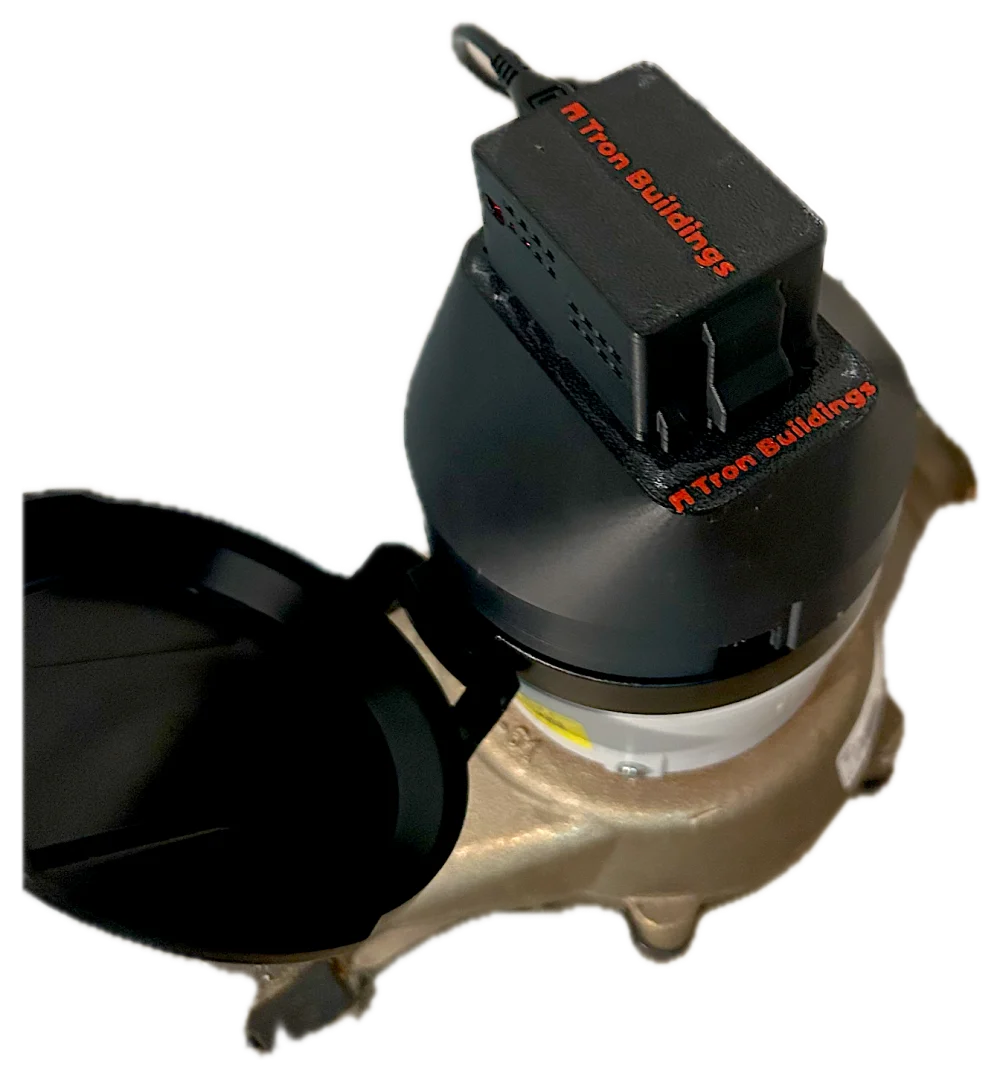
Seat the ESP32-CAM main board on the ESP32-CAM-MB connector board and fit the pair in the camera case. Fit the camera case on the meter housing case, set the housing over the meter's face, and plug the power supply into the micro USB port.
This kit has 5 components:
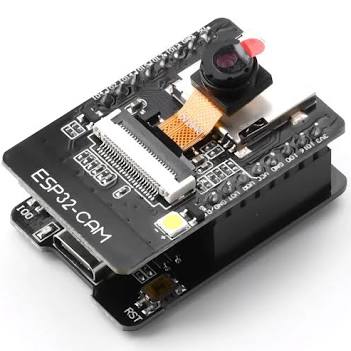
ESP32-CAM main board
ESP32-CAM
ESP32-CAM-MB micro USB connector board
ESP32-CAM-MB
Power supply, 5 V micro USB
Camera case
Meter housing case
The power supply is in the kit.
- Shipping, US and Canada
- Free
- Tron software, with a Maintenance Station subscription
- Free
- Kit price
- $85
Prefer to source it yourself? Any hardware with these part numbers works. Either way, you install it from Maintenance Station, under Settings → Trons.
How it works
Step 1
Order your kit
Pick your kits, choose Wi-Fi or wired PoE, and check out here. Every kit is off-the-shelf parts, itemized on your invoice.
Step 2
Install from Maintenance Station
Plug the Tron into a laptop with a USB-C data cable. Maintenance Station writes the firmware and its BACnet settings — nothing to download, no code.
Step 3
Connect it
Plug it into a PoE switch port. It answers Who-Is as a native BACnet/IP device — no gateway, no cloud.
Facility staff
Plug the sensor into the Atom, install it from a laptop, mount it.
IT
A PoE (802.3af) port on the BAS network and a DHCP reservation. BACnet/IP on UDP 47808 — nothing needs the internet.
Controls integrator
A unique device instance for each Tron, then discover it and map the points.
Specs
- Sensor
- ESP32-CAM camera module
- Measures
- The reading on a meter face, gauge, LED panel or analog dial
- Protocol
- BACnet/IP, native — no gateway
- Network
- Wi-Fi (2.4 GHz)
- Power
- 5 V micro USB, power supply in the kit
- Base device
- ESP32-CAM
- Mount it square to the dial or display, and make sure the face is lit when the photo is taken.
The software
Price
Free with Maintenance Station
Tron software is free for any account with an active Maintenance Station subscription. No per-device fee.
Hardware
Our kits, or your own
Order a Tron kit here, or buy your own hardware that matches the kit's part numbers. Either one programs the same way.
Ownership
Runs without us
An installed Tron needs no internet or Tron cloud to run. It's a BACnet device on your network for as long as the hardware lasts.
Volume
Buying a lot?
We program and label them for you, and invoice by purchase order.
Not sure it fits your building?
Talk to an engineer about your BAS, network and quantities before you buy.