Meter KYZ Pulse Counter User Manual
Counts a water, gas or electric meter's KYZ pulse output, for usage and leak detection. This manual takes you from the kit to points on your BAS.
1. What's in the kit
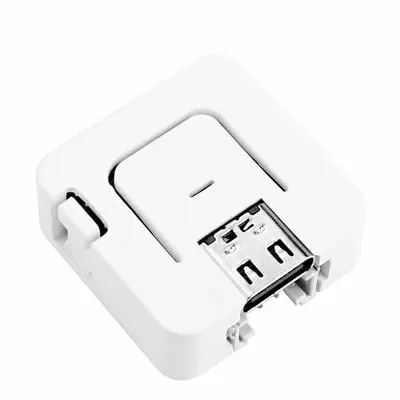
You also need:
- A USB-C data cable. A charge-only cable will not work.
- A laptop with Chrome or Edge.
- A Maintenance Station account with an active subscription. Tron software is free with it.
- Wi-Fi: a 5 V USB power supply, which is not in the kit, and a 2.4 GHz Wi-Fi network.
Sourced the hardware yourself? Any hardware with these part numbers installs the same way.
2. Assemble it
Put the parts together
Wire the meter's KYZ pulse output to the input lead, and plug the lead into the Atom's Grove port.
Leave it unmounted until it is installed: it has to reach your laptop first.
3. Install from Maintenance Station
Connect the Tron to your laptop
Use the USB-C data cable, straight into the Tron.
Open the installer
Sign in to Maintenance Station in Chrome or Edge and open Settings → Trons. There is nothing to download and no code to write.
Choose the Tron and give it its BACnet settings
Pick Meter KYZ Pulse Counter and give it a device name and a BACnet device instance. The instance has to be unique on your BACnet network: ask your controls integrator for a number if you are not sure.
Install
Maintenance Station writes the firmware and the settings to the Tron. Keep it plugged in until it finishes, then unplug it.
4. Mount it and add it to your BAS
Mount it and power it
Plug it into the 5 V USB power supply. There is no power switch.
Discover it
The Tron answers Who-Is as a native BACnet/IP device. Discover it from your BAS front end, controller or Tron Gateway, then add its points. Its vendor, model, serial number (MAC) and firmware version are in the Device object.
5. BACnet points
The point list for this Tron is not published here yet. Contact us for it.
6. Specifications and notes
- Sensor
- Dry-contact KYZ pulse input
- Measures
- Meter pulses — usage total and rate
- Protocol
- BACnet/IP, native
- Network
- Wi-Fi (2.4 GHz)
- Power
- USB-C 5 V
- Utility-owned meters may need the utility to enable or fit the pulse output.
7. Troubleshooting
- The installer can't see the Tron
- Use Chrome or Edge: other browsers cannot reach a USB device. Then try another cable. Many USB-C cables only charge and carry no data.
- My BAS can't discover the Tron
- Check that the BAS and the Tron are on the same subnet: a Tron does not answer across routers. On Wi-Fi, the access point may be dropping broadcasts. Add the Tron by its IP address and device instance.
- Two devices answer with the same instance
- Every Tron needs its own device instance. Install the Tron again with a number nobody else uses.
- Something else
- Contact us with the Tron's name and what you are seeing.
Meter KYZ Pulse Counter hardware is supplied as a kit of parts for the customer to assemble. It is not intended for use in critical, life-safety, or other high-risk applications.